Agentic Experience for Adobe Learn
Overview
The goal of this project is to design and develop an innovative agentic learning experience that combines AI technology with Adobe's educational platform to create more personalized and effective learning journeys for users.
Project Brief
Adobe Learn is Adobe's comprehensive learning platform that helps users master creative tools and techniques. This project aims to enhance the platform with an AI-powered experience that provide personalized learning resources and intelligent content recommendations tailored to users' goals.
My Role
During my internship, I lead the end-to-end design process, from initial user research and concept development through to final prototyping and user testing. This is where my internship ended, and I passed off implementation to the development team.
Initial Website State
The problem
Creative learners—beginners, hobbyists, and aspiring professionals—are eager to grow their skills and/or build careers, but they face a fragmented and overwhelming learning landscape. With content scattered across tutorials, forums, and platforms, and with learning needs varying widely, it’s hard to find reliable starting points or clear paths that align with personal goals.
The opportunity
Offering high-quality, personalized, creator-led learning experiences that stand apart from generic AI-generated content, helping users feel confident in their subscription and supported throughout their creative journey.
Research
Competitive Analysis
I analyzed existing learning platforms to understand current patterns and identify opportunities for improvement.
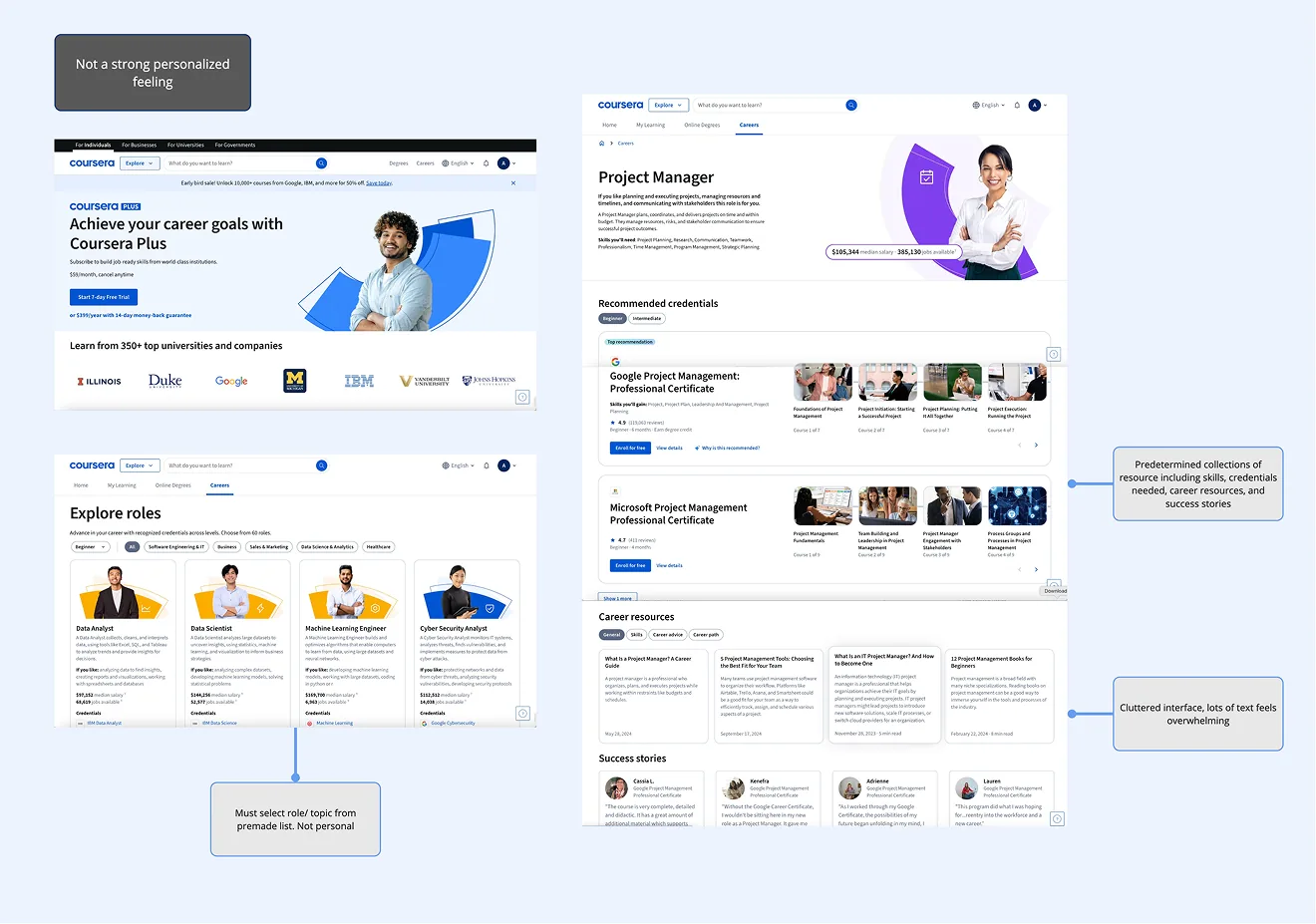
Coursera
Structured course format
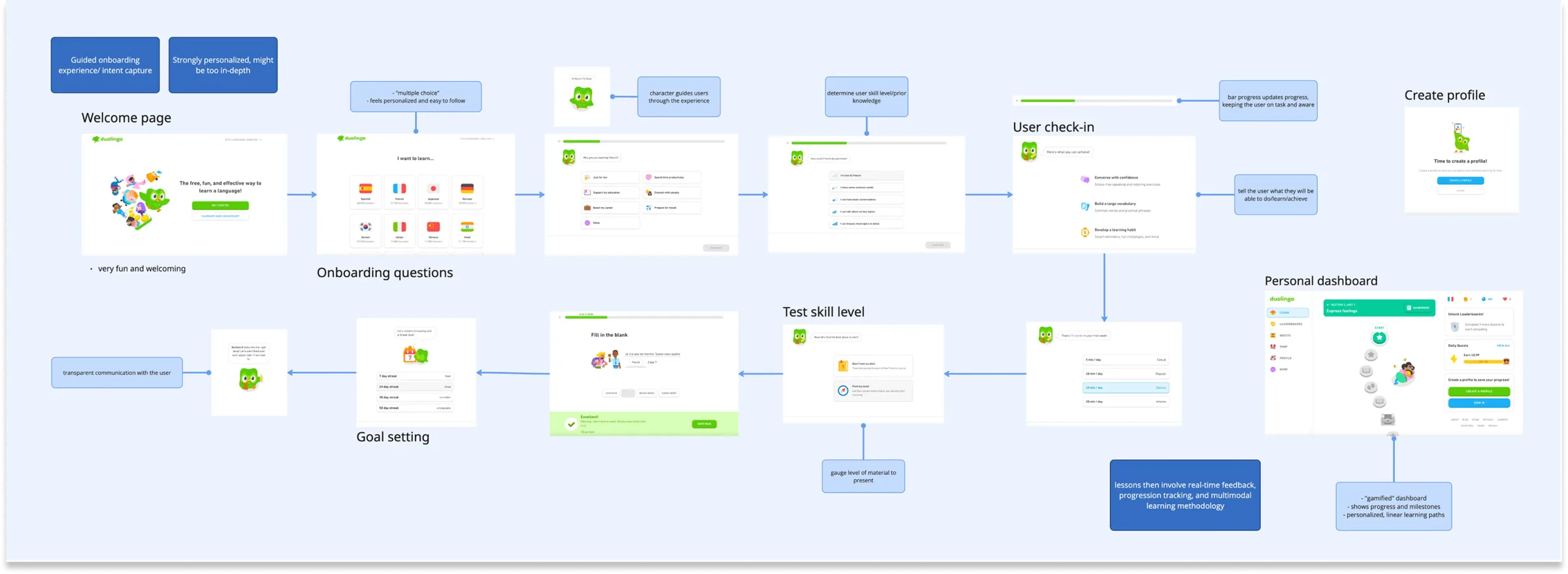
Duolingo
Gamified learning patterns
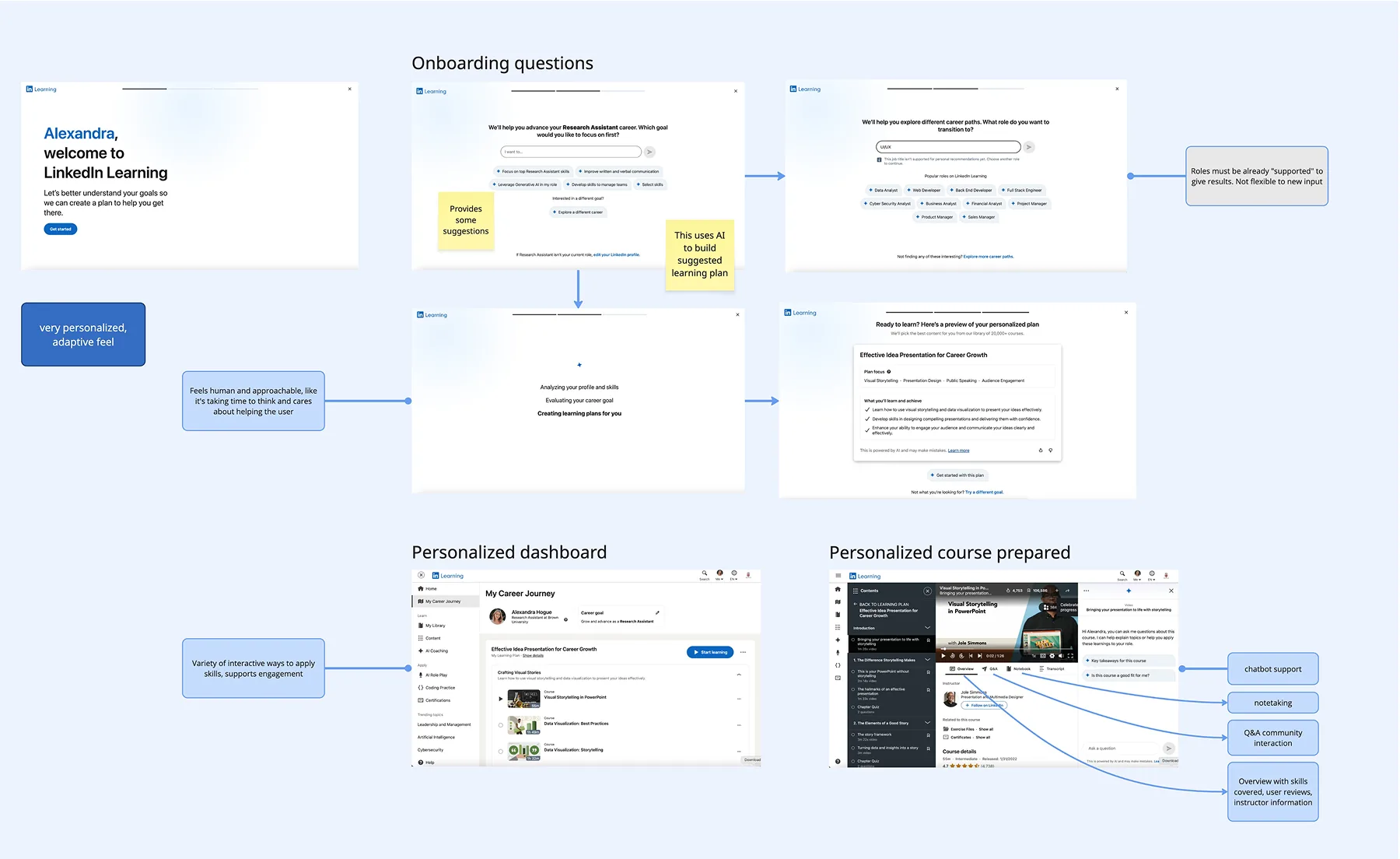
LinkedIn Learning
Professional development focus
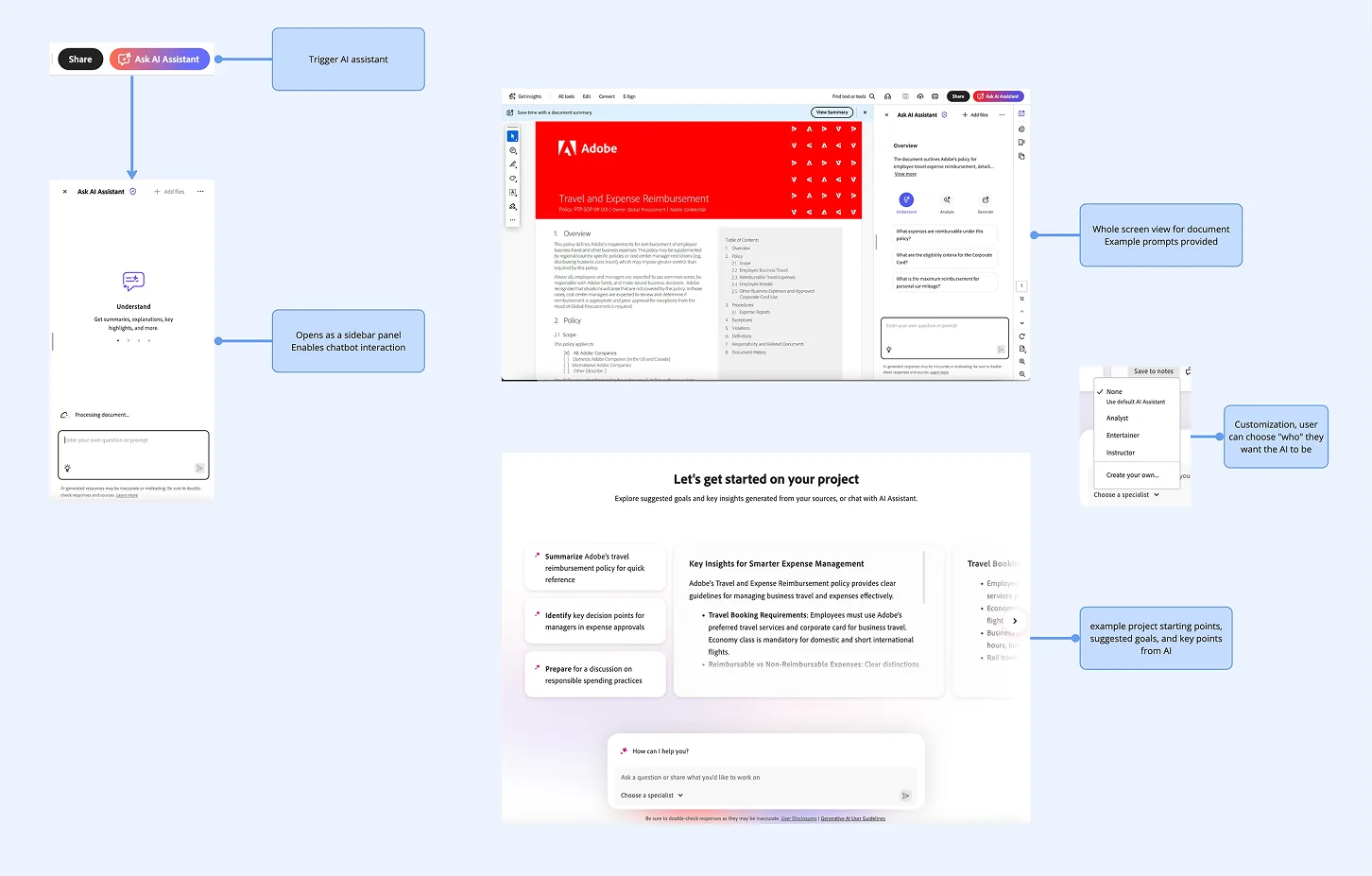
Adobe Acrobat
Current Adobe Learn patterns
Internal Research, Past Studies, & User Interviews
Confidential - Adobe internal research and past study analysis
Past Study Analysis
Internal User Data
Usage Patterns
Previous Research Findings
Key Insights from Research
1 Users struggle with information overload when discovering learning content
2 Personalization is critical for engagement and retention
3 Goal-oriented learning paths increase completion rates
1 Users struggle with information overload when discovering learning content
2 Personalization is critical for engagement and retention
3 Goal-oriented learning paths increase completion rates

Creative learners are eager to grow their skills and build careers, but they face a fragmented and overwhelming learning landscape.
Sketching
I began by exploring different concepts and approaches through brainstorming sessions and rapid ideation.
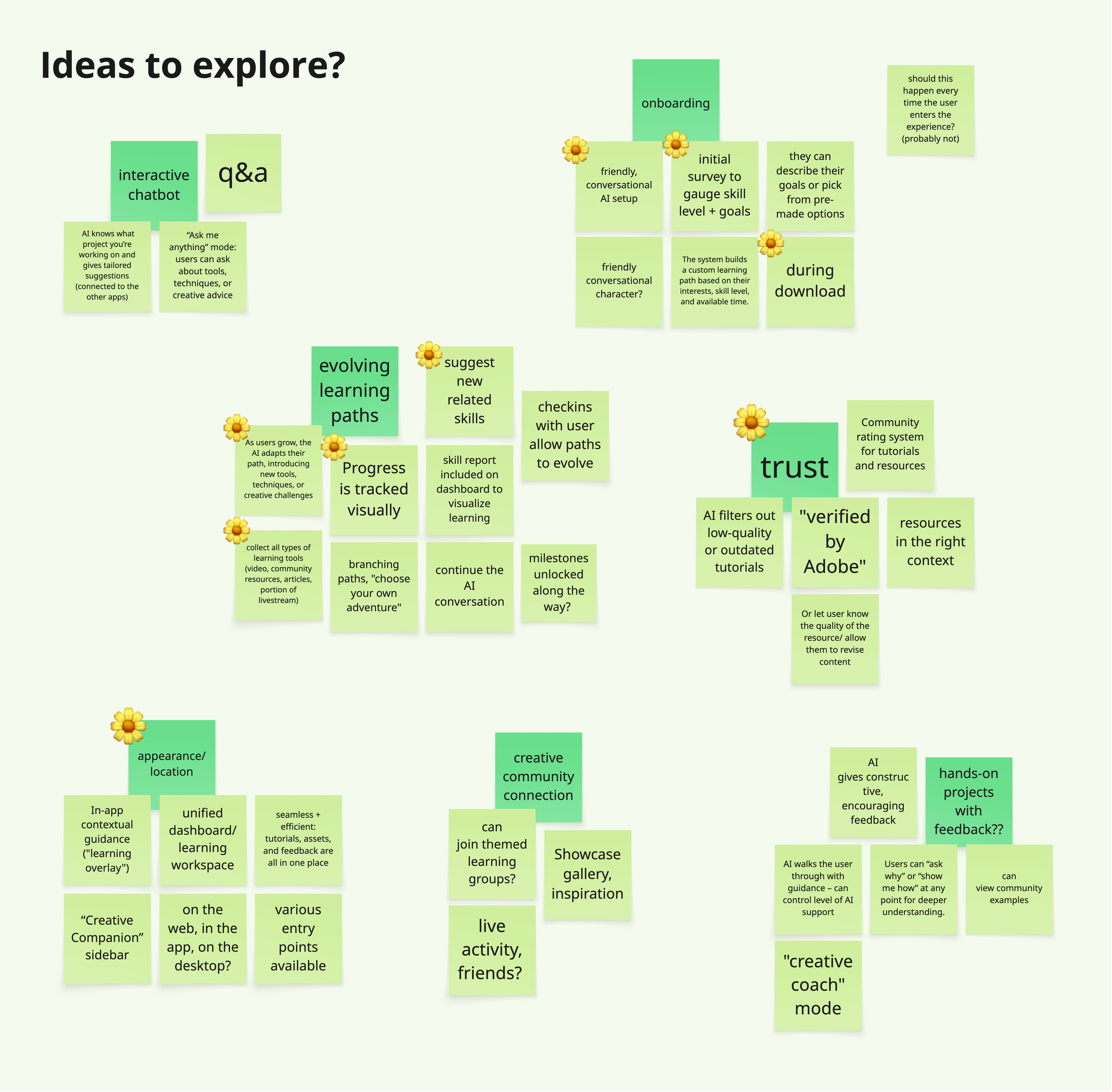
Concept Exploration
I explored multiple directions, including conversational interfaces, dashboard-based learning, and gamified experiences.
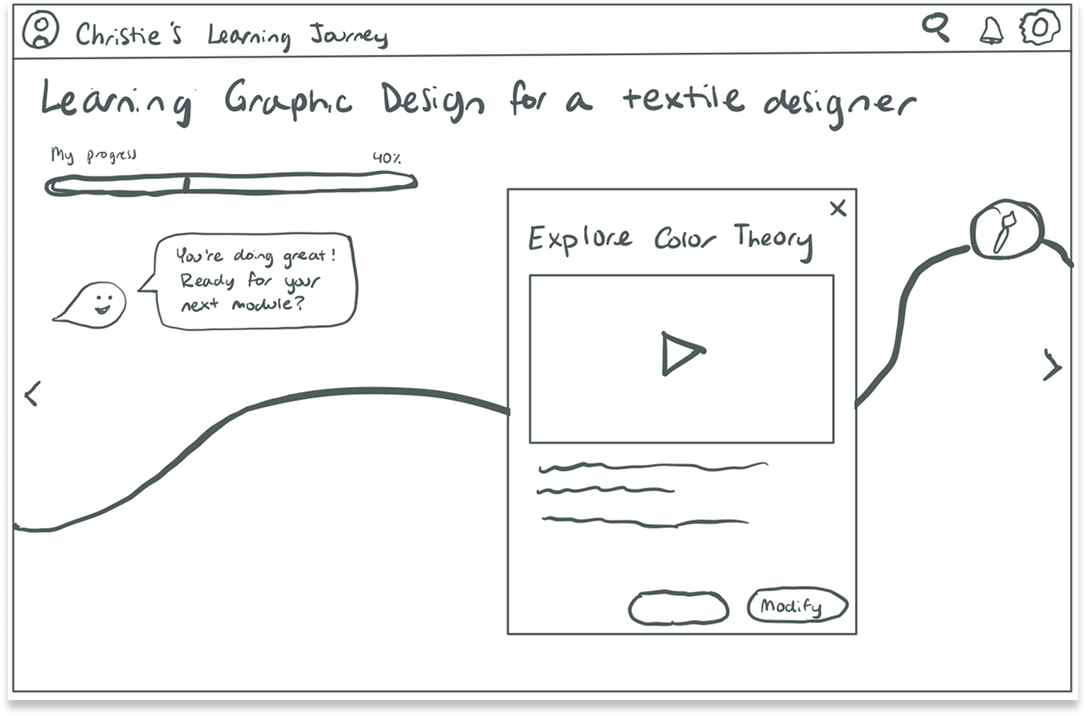
Gamified Experience
Interactive, game-like learning journey
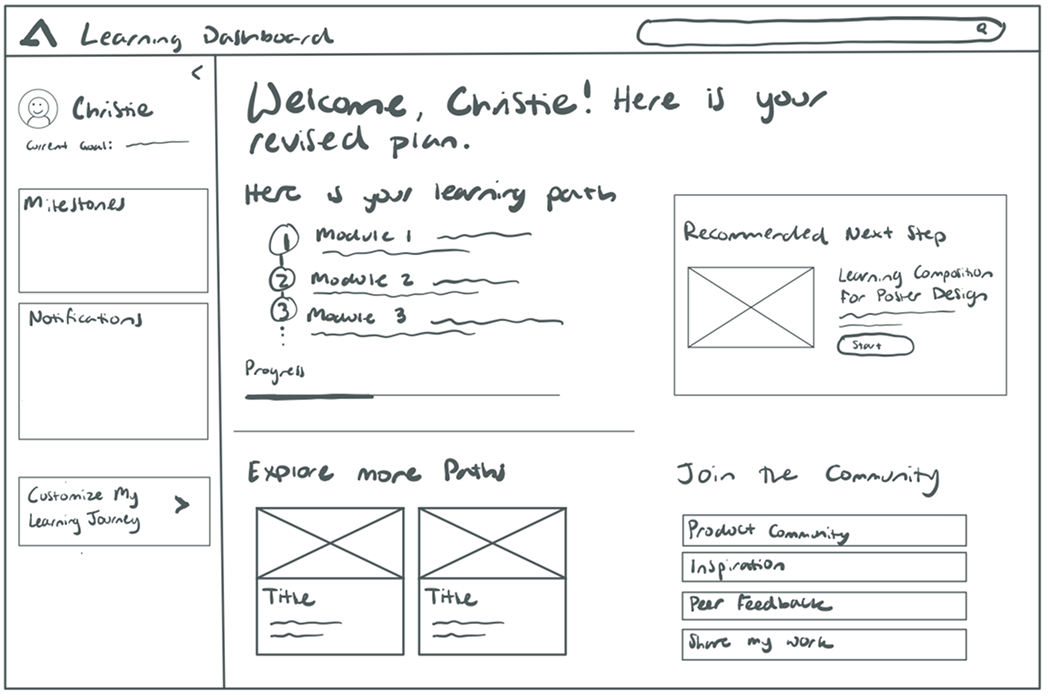
Dashboard Approach
Centralized learning hub with progress tracking
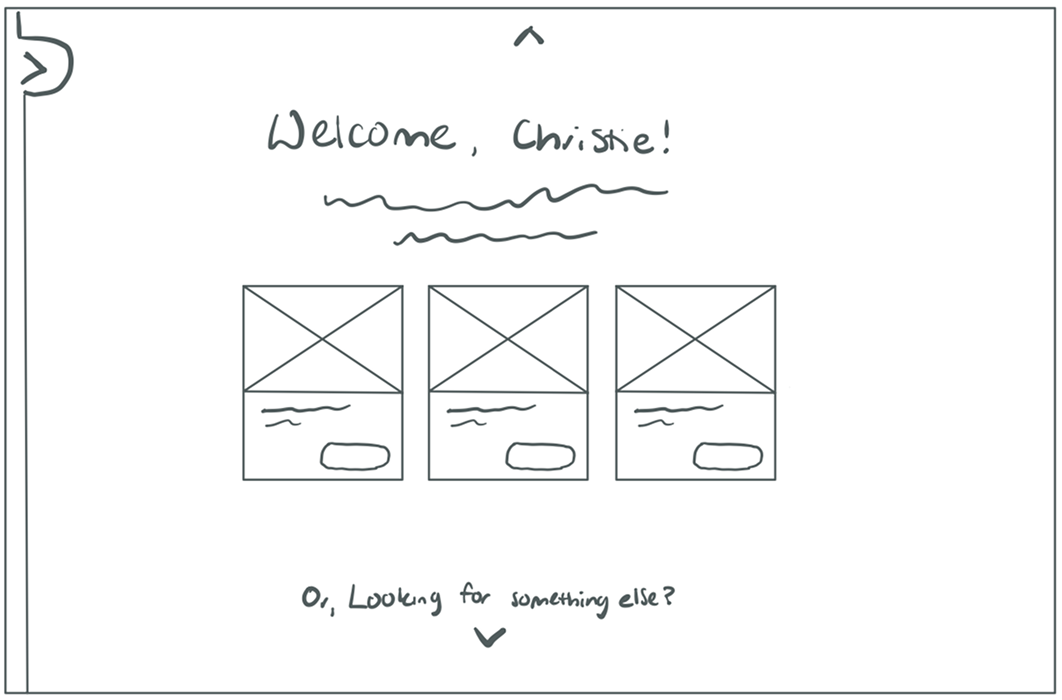
Conversational Interface
AI-powered chat-based learning experience
Selected for flexible, intuitive, adaptable experience
User Personas & Journey Maps
Based on research findings, I developed personas and mapped their learning journeys to inform the design direction.
Christie
Career-switcher & Aspiring Professional
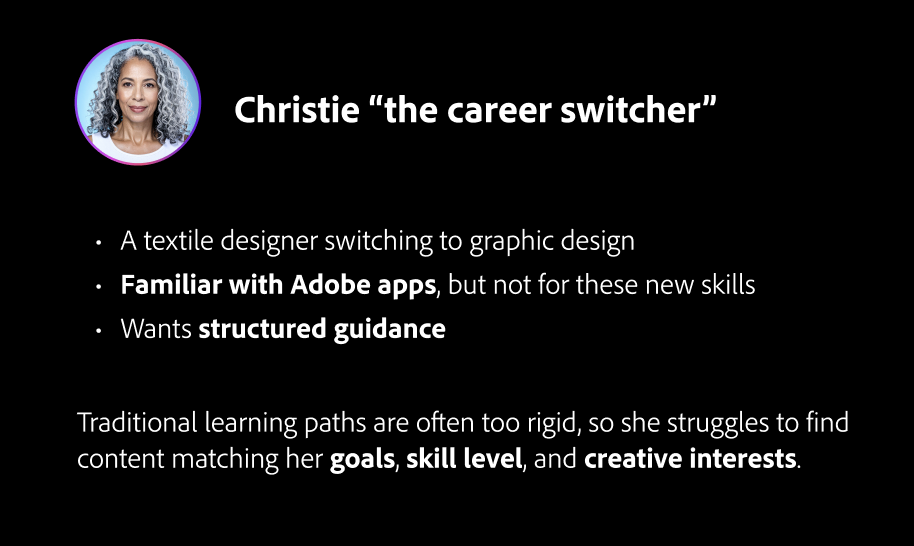
Persona
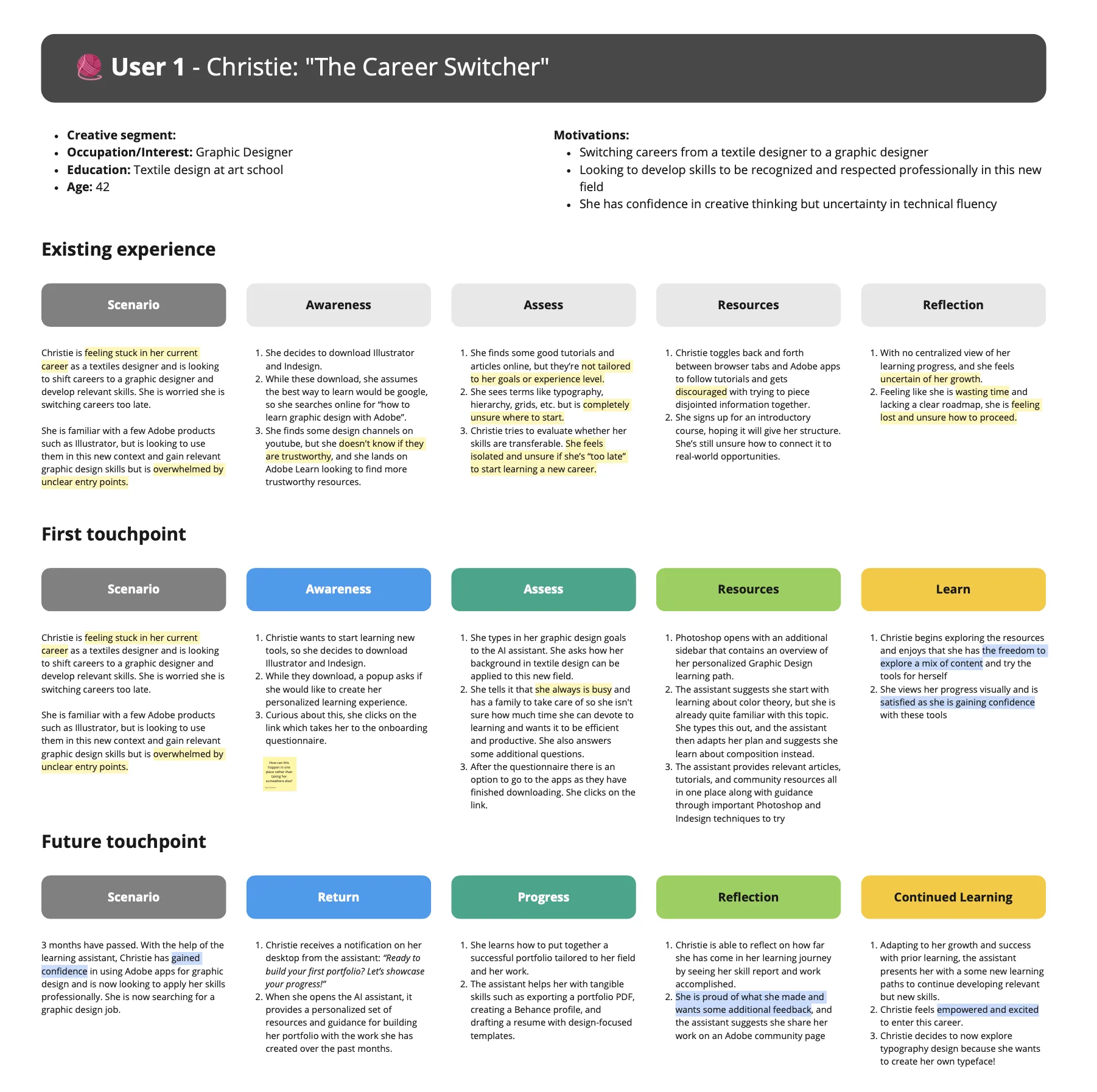
Journey Map
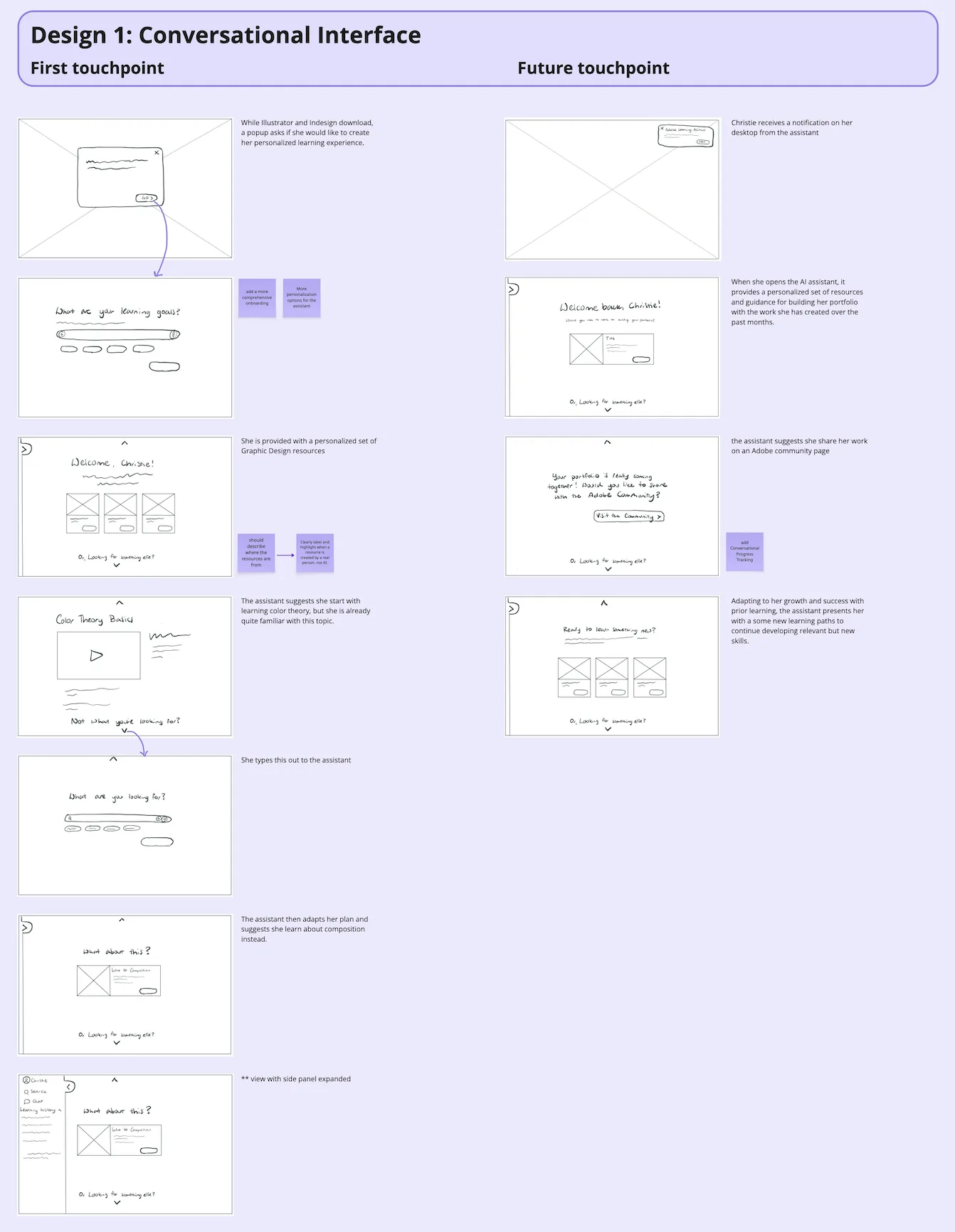
User Flow
Ethan
Student Learner
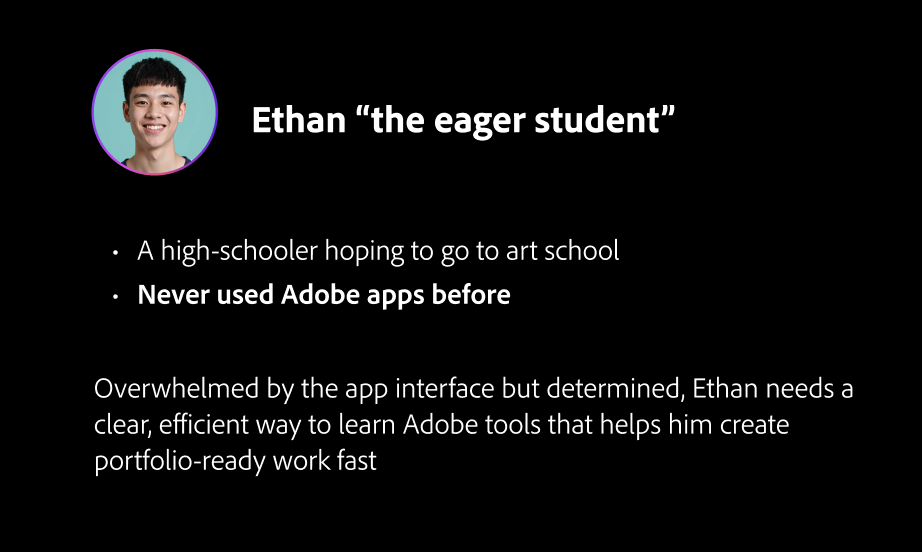
Persona
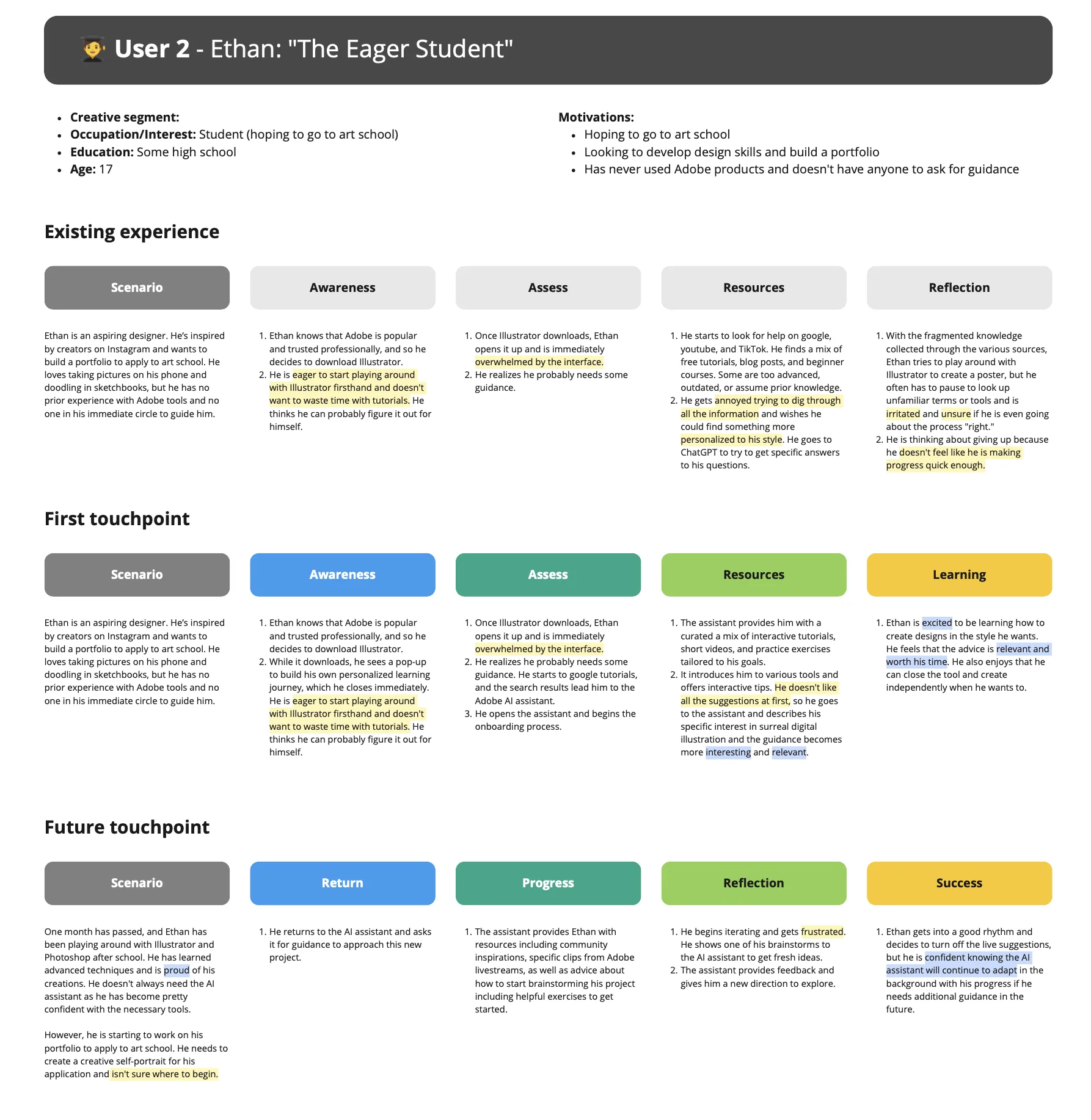
Journey Map
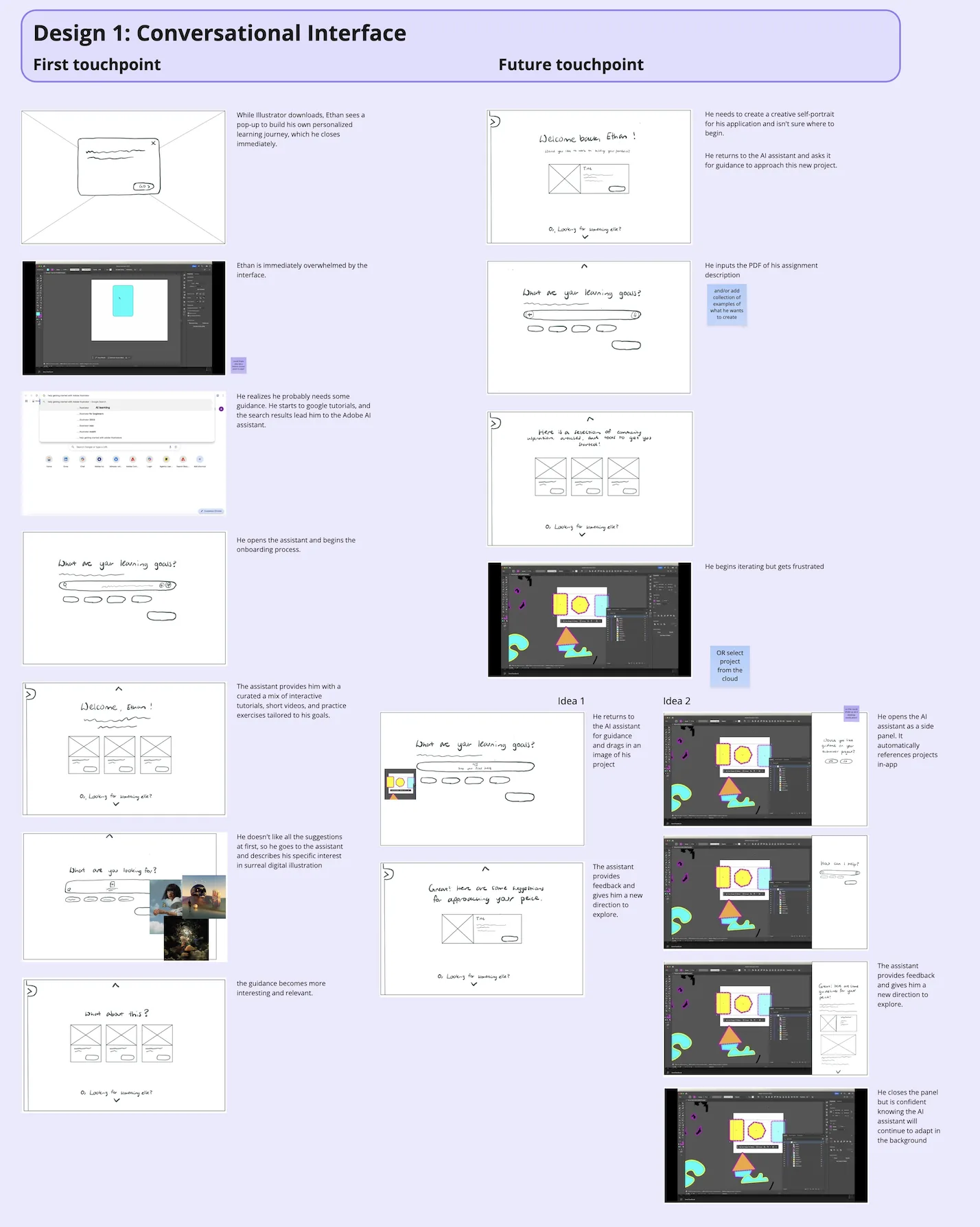
User Flow
Prototyping
Home Page Incorperation
I explored different approaches for the main entry point, considering both new and returning user experiences.
Main Home Experience on Learn
Guided learning path experience incorperated onto Adobe Learn home page for new and returning user visability
In-App Home Experience
Users in the app can easily engage with learning content
Key Design Elements
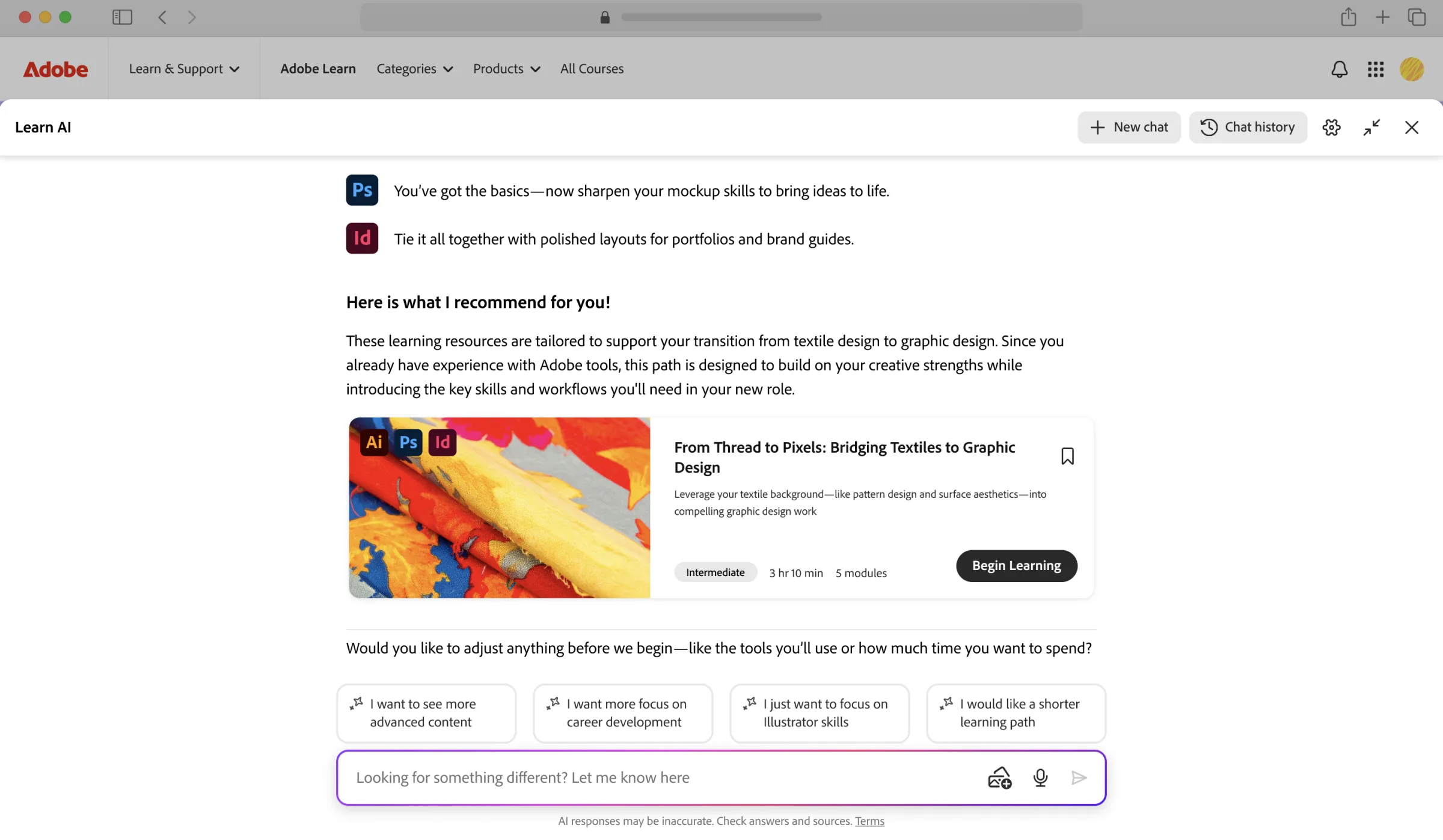
Conversational Interface
Why this approach: Users are already familiar with conversational interfaces from tools like ChatGPT. By leveraging this familiar pattern, we reduce cognitive load and make the learning experience feel natural and approachable.
Key benefit: The flexible conversational format allows users to express their goals in their own words, while the AI can pull from Adobe Learn's extensive content library to build customized learning paths tailored to their experience level and objectives.
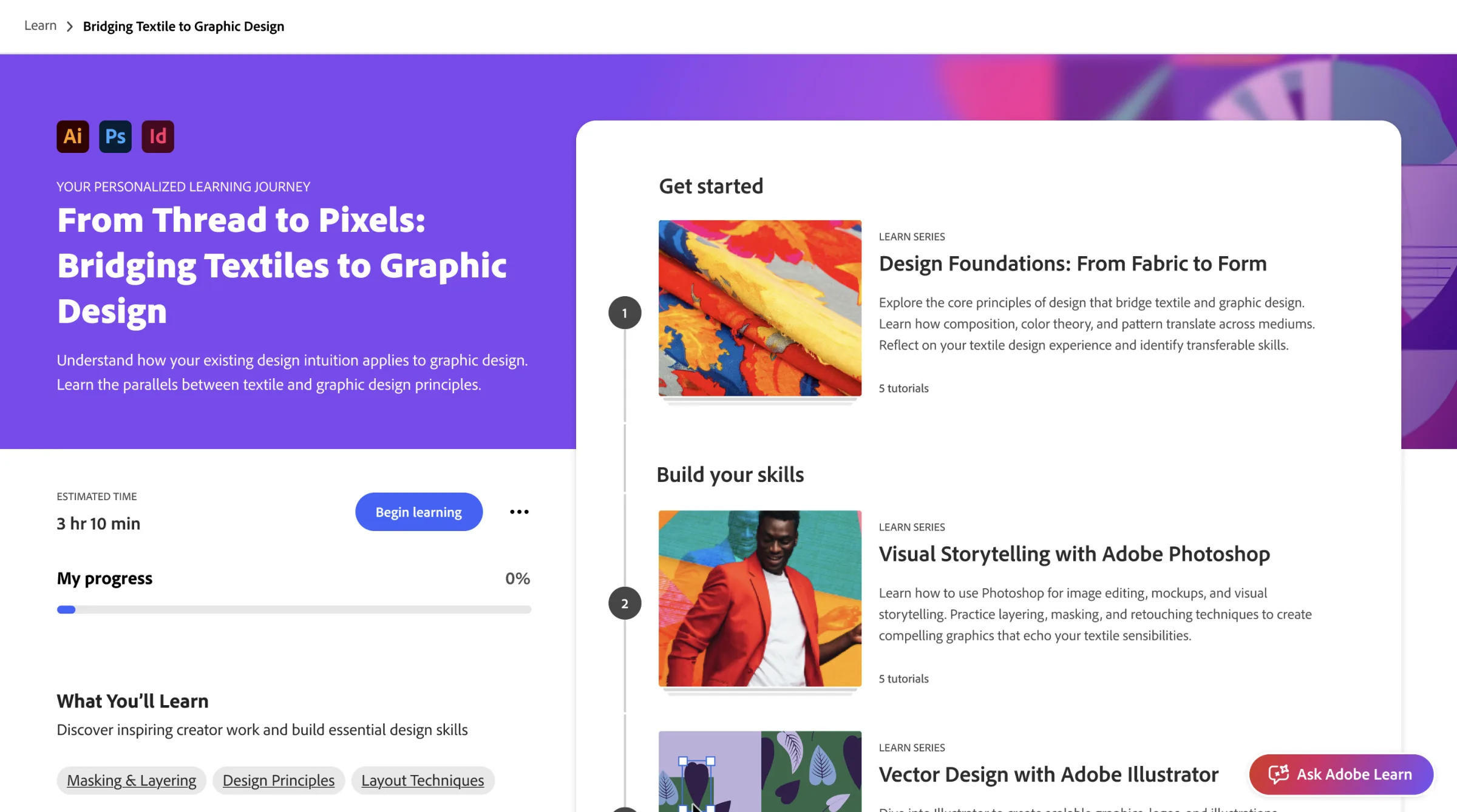
Personalized Learning Paths
Why this approach: Instead of forcing users to navigate through predefined categories, the conversational interface allows them to describe their goals naturally—whether that's "I want to create a portfolio website" or "learn photo editing for my business."
Key benefit: The AI dynamically constructs learning paths by curating relevant content from Adobe Learn, ensuring each path is unique to the user's stated goals, skill level, and available time commitment.
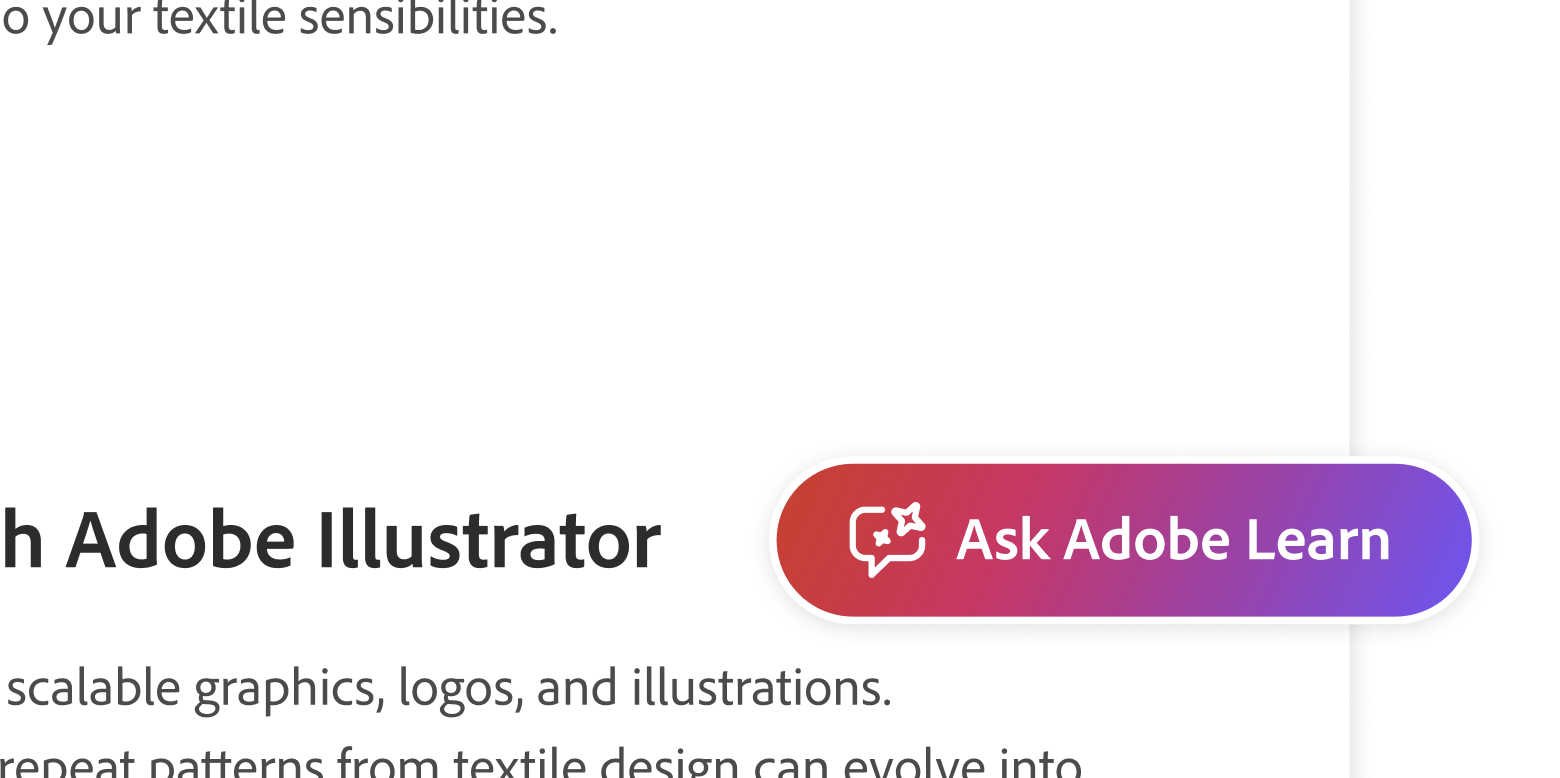
Always-Available Assistant
Why this approach: Learning doesn't happen in isolation—users have questions while actively working in Adobe products. A floating action button (FAB) provides immediate access to the assistant without disrupting their workflow.
Key benefit: Users can ask context-specific questions at any moment, whether they're stuck on a technique or want to explore a related skill. The FAB maintains visibility while staying out of the way until needed.
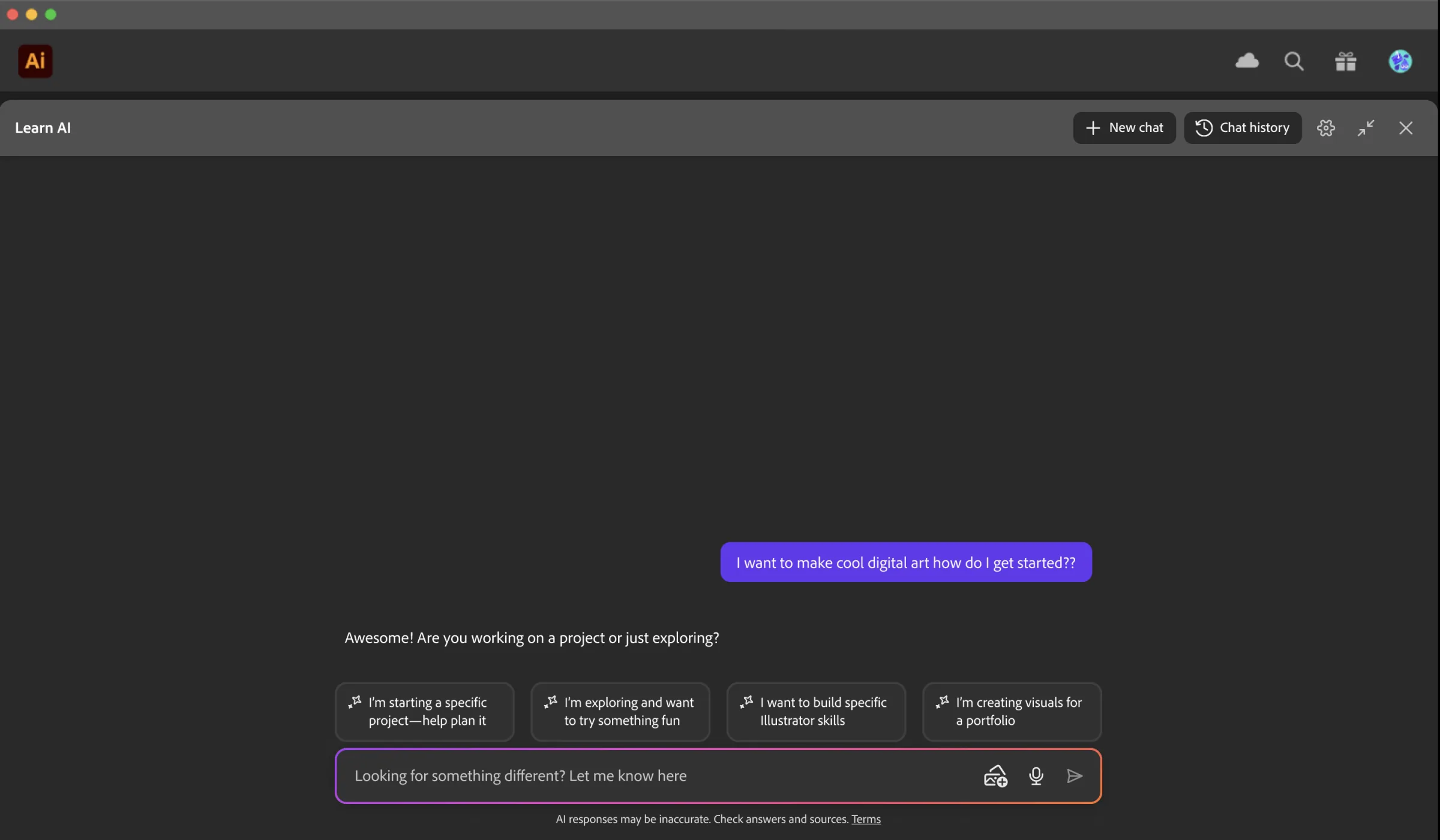
Contextual Learning Within Adobe Products
Why this approach: Learning happens best when it's contextual to the user's current task. Rather than forcing users to switch between separate apps, the interface integrates directly within Adobe's creative tools.
Key benefit: Users can learn and apply new techniques immediately without leaving their creative flow, reducing friction and increasing retention by connecting learning to real-world application.
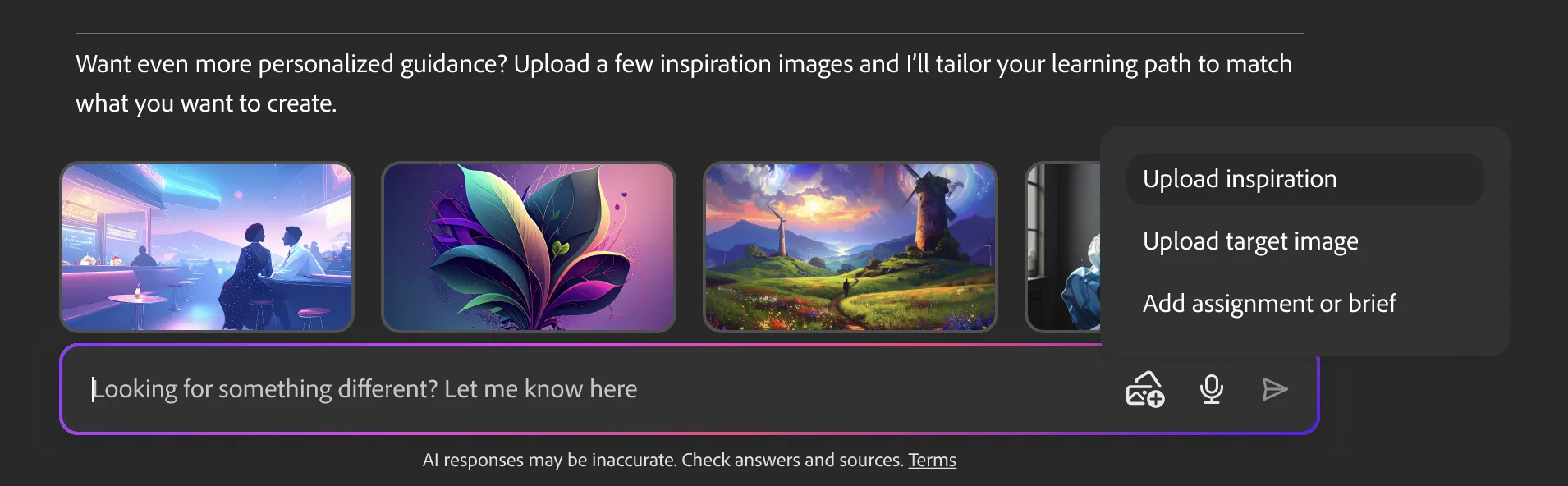
Multimodal Input Support
Why this approach: Creative learners often think visually—they might want to show what they're working on or ask questions about specific visual elements. Supporting image uploads enables richer, more intuitive interactions.
Key benefit: Users can upload screenshots or project files to get tailored feedback and recommendations, making the learning experience more contextual and personalized to their actual work.
Persona-Driven Prototypes
I developed tailored experiences based on the personas and their unique learning goals.
Christie's Learning Path
Designed for aspiring professionals seeking structured, goal-oriented learning experiences
Ethan's Learning Path
Designed for hobbyist learners who prefer flexible, exploratory learning journeys
Iteration & Refinement
Dual Learning Options
After initial user testing, I discovered that not all users want or have time for a complete guided learning path. Many prefer shorter, bite-sized content they can consume on-demand. I designed two parallel experiences to accommodate different learning preferences.
Learning Path Option
Structured, guided journeys for users who want comprehensive learning experiences with clear progression and goals.
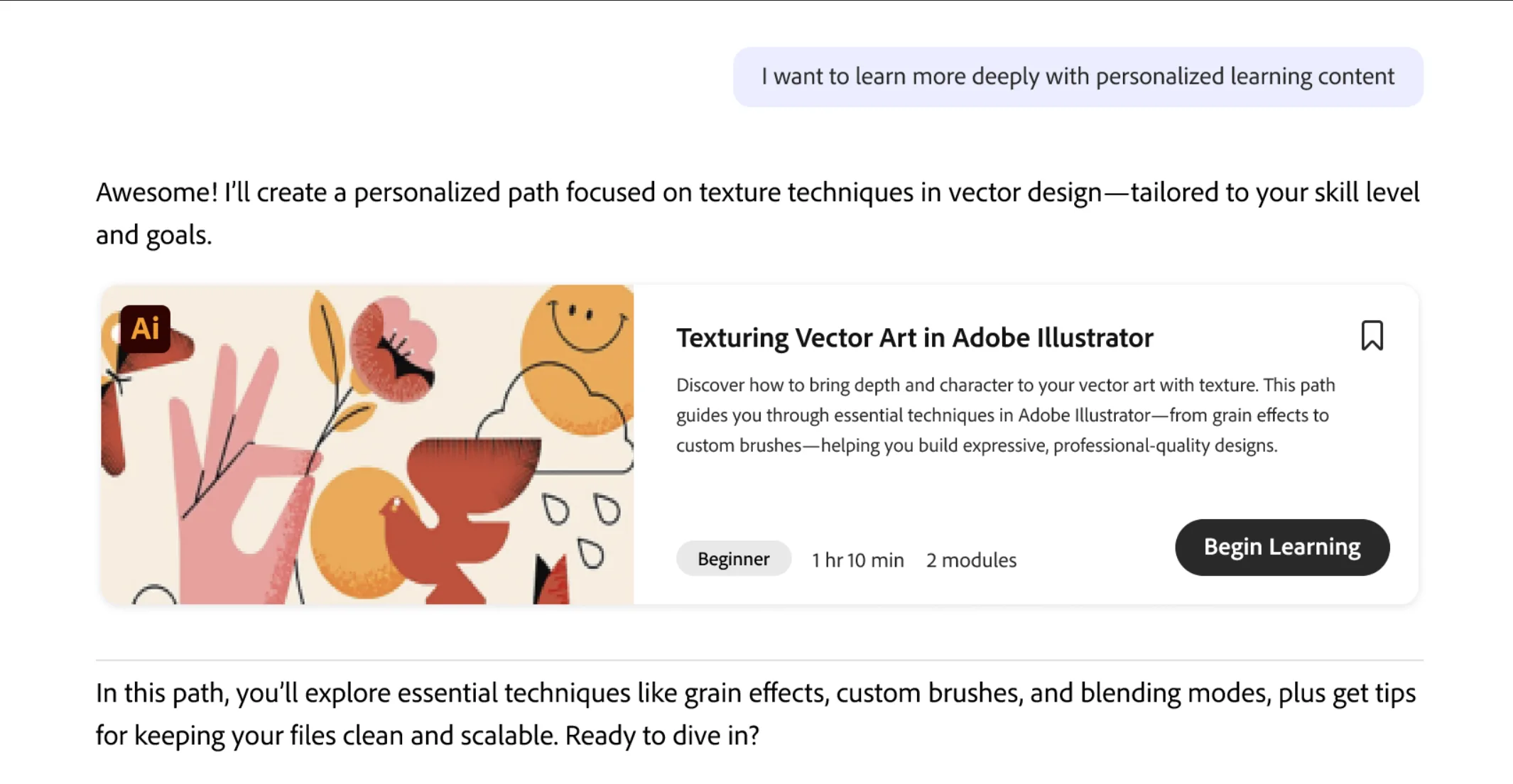
Full option flow
Tutorials Option
Quick, bite-sized tutorials for users who want to learn specific skills without committing to a full learning path.
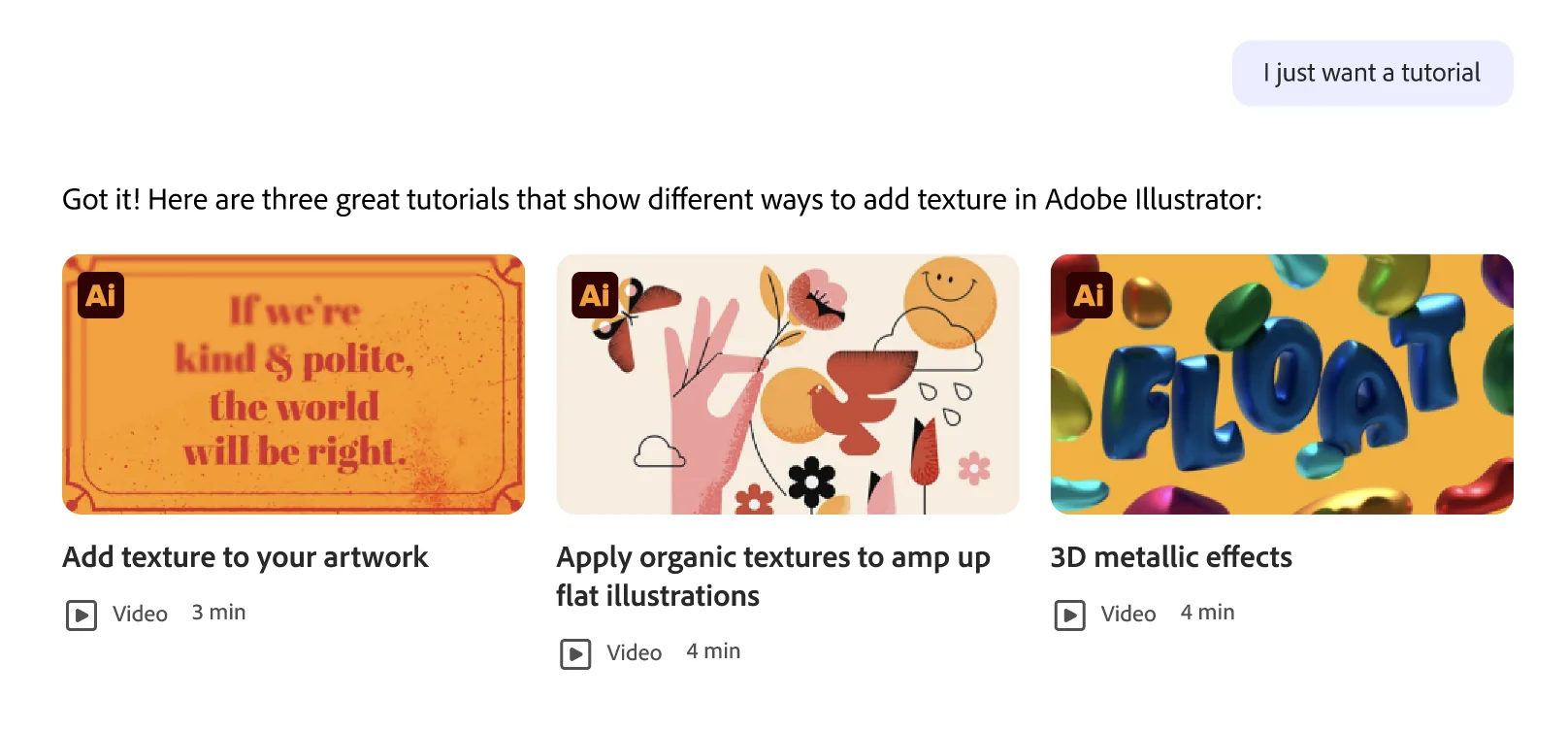
Tutorial Page Experience
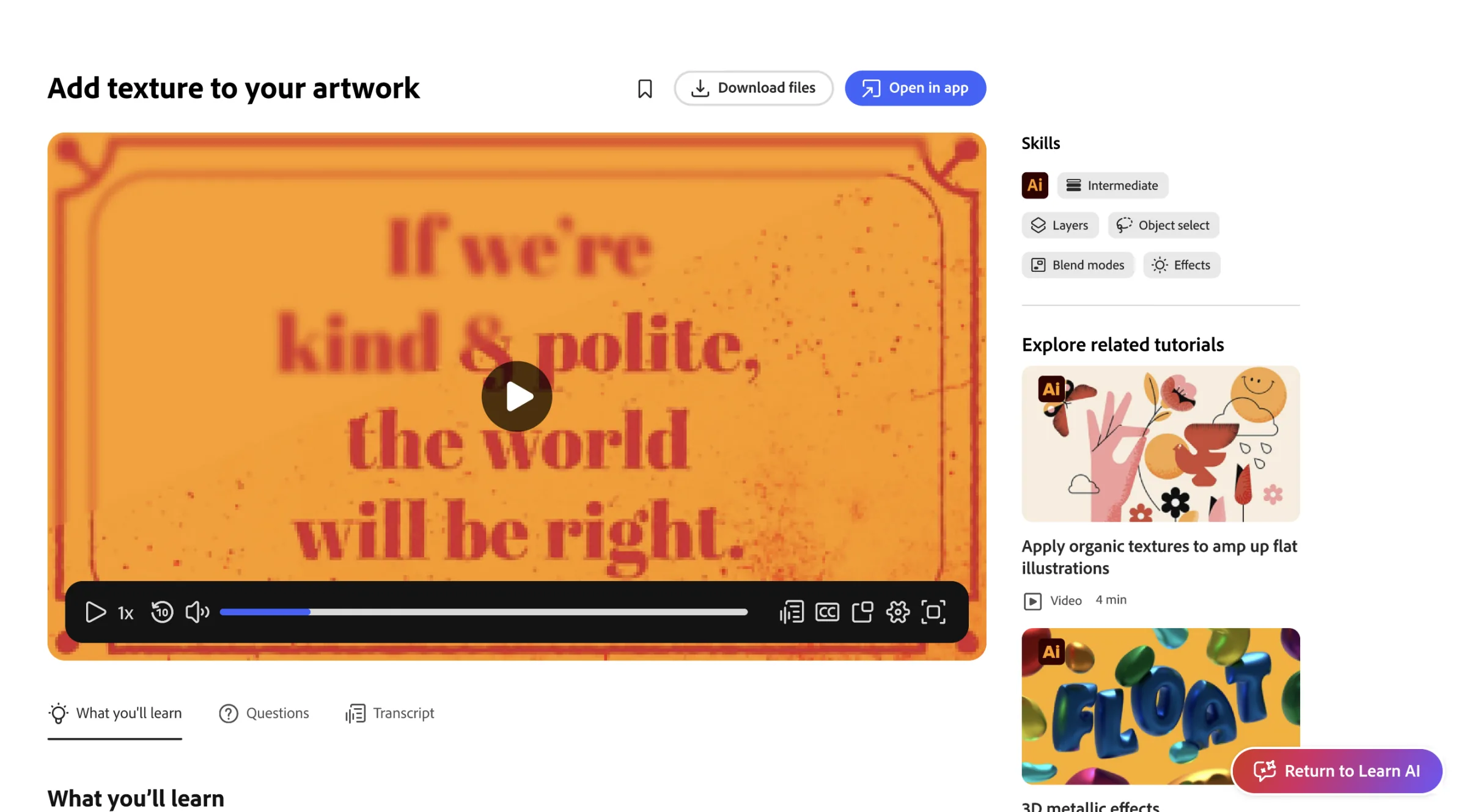
Key Design Principles

Goal-oriented
Help users connect their creative goals to meaningful outcomes from the start

Individualized
Adapt to each user's goals, skill level, and learning style

Flexible
Offer structure without limiting exploration

Motivating
Build momentum with small wins and visible growth

Human
Leverage creator-made resources alongside AI, and provide community connection

Transparent
Adobe is uniquely positioned to offer trustworthy, up-to-date content